




Finding the best study apps free of charge can genuinely change how you learn, whether you’re cramming for finals or trying to build better daily study habits. The right app can help you memorize faster, stay focused longer, and organize scattered notes into something you’ll actually use again.
More students are ditching stacks of index cards and messy notebooks for apps that do the heavy lifting: spaced repetition flashcards, focus timers, AI-powered explanations, and digital planners that sync across every device they own. It’s not about replacing effort, it’s about removing friction.
This guide covers the best free study apps for students by purpose, from note-taking to flashcards to AI assistance, plus how to choose the right ones and use them effectively. Every app listed here has a genuinely usable free version or free access, so you can start studying smarter today without spending a dollar.
What Are Study Apps?
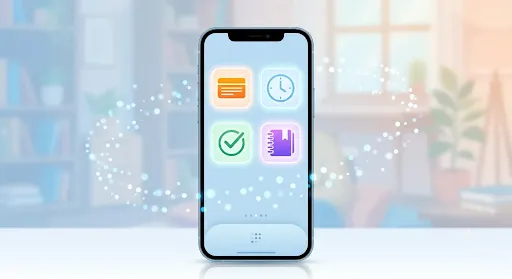
Study apps are mobile or desktop tools built specifically to support learning, whether that means memorizing facts, organizing notes, managing time, or staying focused during a study session.
Simple Definition of Study Apps
Unlike a general note-taking app or calendar, a study app is designed around how students actually learn, things like active recall, spaced repetition, and distraction-free work sessions.
How They Help With Studying, Organization, Focus, and Learning
Different apps solve different problems. Some handle memorization through flashcards, others keep your class notes organized, and some block distracting apps so you can actually concentrate during a study block. Many students end up combining a few, rather than relying on just one.
Difference Between Study Apps and General Productivity Apps
A productivity app like a to-do list works for almost any task, work, chores, errands. A study app is purpose-built around academic needs specifically, with features like flashcard scheduling, subject-specific practice questions, or citation tools that a general productivity app simply doesn’t offer.
Best Study Apps Free for Students
Here’s a rundown of ten standout apps, each offering genuinely useful free access for students.
1. Quizlet
Quizlet remains one of the most popular flashcard and quiz platforms for students of all ages.
Flashcards and quizzes: create your own sets or search millions of existing ones shared by other students.
Best for memorization: the built-in quiz and match modes make repetition feel less tedious.
Free features: unlimited flashcard creation, study modes, and access to shared study sets at no cost.
2. Google Keep
Google Keep is a simple, no-frills app for capturing quick notes and study lists.
Quick notes and study lists: color-coded notes and checklists sync instantly across your phone and laptop.
Best for simple organization: ideal if you want something lightweight without a steep learning curve.
3. Microsoft OneNote
OneNote functions like a digital binder, letting you organize notes by class, chapter, or topic.
Digital notebooks: create separate notebooks and sections that mirror how a physical binder would be organized.
Best for class notes: particularly useful for students who like combining typed notes, handwriting, and images in one place.
4. Notion
Notion has become a favorite among students who want one app to handle nearly everything.
Notes, planners, databases, and study organization: build custom dashboards that combine your notes, assignment tracker, and study schedule.
Free student-friendly features: Notion offers a generous free plan, and students with a valid school email often get access to premium features at no cost.
5. Forest
Forest gamifies focus by growing a virtual tree while you stay off your phone.
Focus sessions: set a timer, and if you leave the app to check social media, your tree dies.
Best for reducing phone distractions: the visual, slightly guilt-inducing design genuinely works for students who struggle with phone habits during study time.
6. Anki
Anki uses spaced repetition, a scientifically backed memorization method, to help information stick long-term.
Spaced-repetition flashcards: the app automatically schedules reviews right before you’re likely to forget something.
Best for long-term memorization: especially popular among medical, language, and law students tackling huge volumes of material.
7. Khan Academy
Khan Academy remains one of the most trusted free educational resources available anywhere online.
Free lessons and practice: covers math, science, economics, and test prep, all completely free.
Best for learning difficult subjects: video explanations paired with practice problems make tough concepts easier to work through at your own pace.
8. Grammarly
Grammarly checks writing for grammar, clarity, and tone across essays, emails, and assignments.
Writing and grammar assistance: catches typos, awkward phrasing, and punctuation errors in real time.
Best for essays and assignments: particularly useful during final proofreading before submitting a paper.
9. Google Calendar
Google Calendar is a reliable, free tool for building out a realistic study schedule.
Study schedules and reminders: color-code classes, deadlines, and study blocks so nothing sneaks up on you.
Best for time management: syncing across devices means your schedule follows you everywhere.
10. ChatGPT
ChatGPT has become a genuinely useful study companion for explaining concepts and organizing thoughts.
Explanations, brainstorming, summaries, and study help: ask it to break down a confusing concept, quiz you on material, or summarize a long reading.
How to use AI responsibly for learning: treat it as a tutor that explains things, not a tool that does your assignments for you, and always verify important facts before including them in your work.
Best Free Study Apps by Purpose

Instead of picking randomly, match the app to the specific problem you’re trying to solve.
Best App for Taking Notes
- OneNote: great for combining typed notes, images, and handwriting
- Google Keep: best for quick, simple notes
- Notion: ideal for students who want an all-in-one workspace
Best App for Flashcards
- Quizlet: easiest to use, huge shared library
- Anki: best for serious, long-term spaced repetition
Best App for Focus
- Forest: gamified focus sessions
- Pomodoro-based apps: structured work-and-break cycles, like Focus Pomo, that keep study sessions from dragging on too long
Best App for Time Management
- Google Calendar: reliable scheduling and reminders
- Notion: customizable planners and trackers
Best App for Learning New Subjects
- Khan Academy: free, structured lessons across major subjects
Best Free AI Study App
- ChatGPT: explanations, summaries, and practice questions
- Other AI-powered learning tools: several newer AI study platforms now offer free tiers focused specifically on flashcard generation and note summarization
Best Study Apps Free for Different Students
Study needs shift depending on where you are in school, so the right app mix changes too.
For College Students
College students juggling multiple classes benefit most from strong note-taking apps like OneNote or Notion, paired with research-friendly tools and solid assignment organization systems to keep deadlines from piling up.
For High School Students
High schoolers often lean on flashcard apps like Quizlet for vocabulary and definitions, combined with homework help resources like Khan Academy for subjects that need extra reinforcement outside class.
For University Exam Preparation
Heavier academic loads call for spaced repetition tools like Anki, paired with structured study planners and focus timers to manage long study sessions without burning out.
For Online Students
Students learning primarily online benefit from apps built around video-based learning, digital note systems that sync across devices, and strong time management tools to stay on track without in-person deadlines as a forcing function.
How to Choose the Best Free Study App

With dozens of options available, a few practical filters make the decision much easier.
Checklist for Choosing a Study App
- Identify your main study problem: are you struggling with memorization, organization, or focus? Start there.
- Check free features: some apps limit core functionality behind a paywall, so confirm the free tier actually covers what you need.
- Consider ease of use: an app you’ll actually open daily beats a powerful one that feels like a chore to use.
- Check device compatibility: make sure it works smoothly across your phone, laptop, or tablet, whichever you use most.
- Look at privacy and data policies: especially important if you’re uploading personal notes or assignments.
- Avoid downloading too many apps: three or four well-chosen apps beat a phone full of half-used study tools.
How to Use Study Apps Effectively
Owning the right apps only helps if you actually use them with intention.
Step-by-Step Guide
- Choose one main app for each core need, one for notes, one for flashcards, one for focus, rather than juggling five apps that do the same thing.
- Create a realistic study schedule using a calendar or planner app, and block out specific times rather than vague “study later” intentions.
- Use flashcards for memorization, especially for vocabulary, formulas, or anything requiring straight recall.
- Use focus timers for deep work, breaking study sessions into manageable blocks with real breaks in between.
- Review your notes regularly, rather than only opening them the night before an exam.
- Track your progress, whether that’s flashcard accuracy, completed study sessions, or checked-off syllabus topics.
Free Study Apps vs Paid Study Apps
Most popular study apps offer a free tier that covers the basics well, but it helps to know exactly where the line sits.
| Feature | Free Study Apps | Paid Study Apps |
|---|---|---|
| Core functionality | Fully usable for most students | Adds advanced customization |
| Storage limits | Often capped (notes, files, decks) | Usually unlimited or much higher |
| Ads | Common on free tiers | Typically ad-free |
| Collaboration tools | Basic sharing | Advanced group and team features |
| AI features | Limited free usage | Higher usage limits, more advanced models |
| Cost | $0 | Usually $5–$15/month |
What Free Apps Offer
For the vast majority of students, free tiers cover flashcards, basic notes, calendar scheduling, and focus timers more than adequately.
When Premium Features Are Useful
Premium tiers matter most for students dealing with huge volumes of material, like med or law students, who benefit from unlimited storage, advanced statistics, or higher AI usage limits.
Whether Students Actually Need Paid Subscriptions
For most students, no. Free versions of Quizlet, Notion, Google Keep, and Khan Academy cover the core needs of daily studying without ever requiring a paid upgrade.
Common Mistakes When Using Study Apps
Even the best free study apps for students won’t help much if they’re used the wrong way.
Downloading Too Many Apps
Having ten half-used apps scattered across your phone creates more friction than it solves. Pick a small, focused set and stick with it.
Spending More Time Organizing Than Studying
Perfectly color-coded notes feel productive, but if you’re spending more time formatting than reviewing, the app is working against you.
Relying Completely on AI
AI tools like ChatGPT are great for explanations and practice questions, but leaning on them to do your thinking entirely undermines the actual point of studying.
Ignoring Active Recall
Passively rereading notes feels like studying, but testing yourself with flashcards or practice questions builds far stronger memory retention.
Not Reviewing Material Consistently
Spaced repetition apps like Anki only work if you actually open them regularly. Cramming everything into flashcards the night before an exam defeats the purpose.
Frequently Asked Questions
What is the best free study app?
Quizlet is one of the most widely used free study apps thanks to its flashcard and quiz features. For deeper subject learning, Khan Academy is another strong free option, while Notion works well for students who need organization alongside studying.
Which study app is completely free?
Khan Academy is completely free with no premium tier at all. Google Keep and Google Calendar are also fully free. Apps like Quizlet, Anki, and Notion offer strong free versions, with optional paid upgrades for advanced features
What is the best app for studying and taking notes?
Notion and Microsoft OneNote are both excellent for combining notes with organization. Notion suits students who want an all-in-one workspace, while OneNote works well for those who prefer a more traditional, notebook-style layout
What is the best free flashcard app?
Quizlet is the easiest to use and has a massive shared library of existing flashcard sets. Anki is the better choice for serious, long-term memorization thanks to its spaced repetition algorithm, though it has a steeper learning curve.
Which app is best for focusing while studying?
Forest is a popular choice for reducing phone distractions through gamified focus sessions. Pomodoro-based apps, which break study time into focused intervals with scheduled breaks, are also highly effective for maintaining concentration.
Are free study apps useful for college students?
Yes, absolutely. Free versions of Notion, Quizlet, and Google Calendar cover the vast majority of what college students need for notes, flashcards, and scheduling, without requiring any paid subscription.
What is the best AI study app for students?
ChatGPT is currently the most widely used AI study tool, useful for explanations, summaries, and practice questions. It works best as a supplement to studying, not a replacement, and students should always verify important facts independently.
Can study apps help improve exam preparation?
Yes. Flashcard apps support memorization, focus apps improve concentration during study sessions, and planner apps keep exam prep organized and on schedule. Used consistently, they can meaningfully improve both retention and time management.
Final Verdict
The best study apps free of charge genuinely cover almost everything a student needs: Quizlet and Anki for memorization, Notion and OneNote for organization, Forest for focus, Google Calendar for scheduling, and Khan Academy or ChatGPT for learning support.
There’s no single app that fits everyone, since the right choice always comes down to your specific study challenges. Start by identifying your biggest pain point, whether that’s staying focused, remembering material, or just keeping notes organized, and build your toolkit from there. Technology helps, but pairing these apps with real active recall and consistent review is still what actually gets results.
Stay in touch with Penstripe