



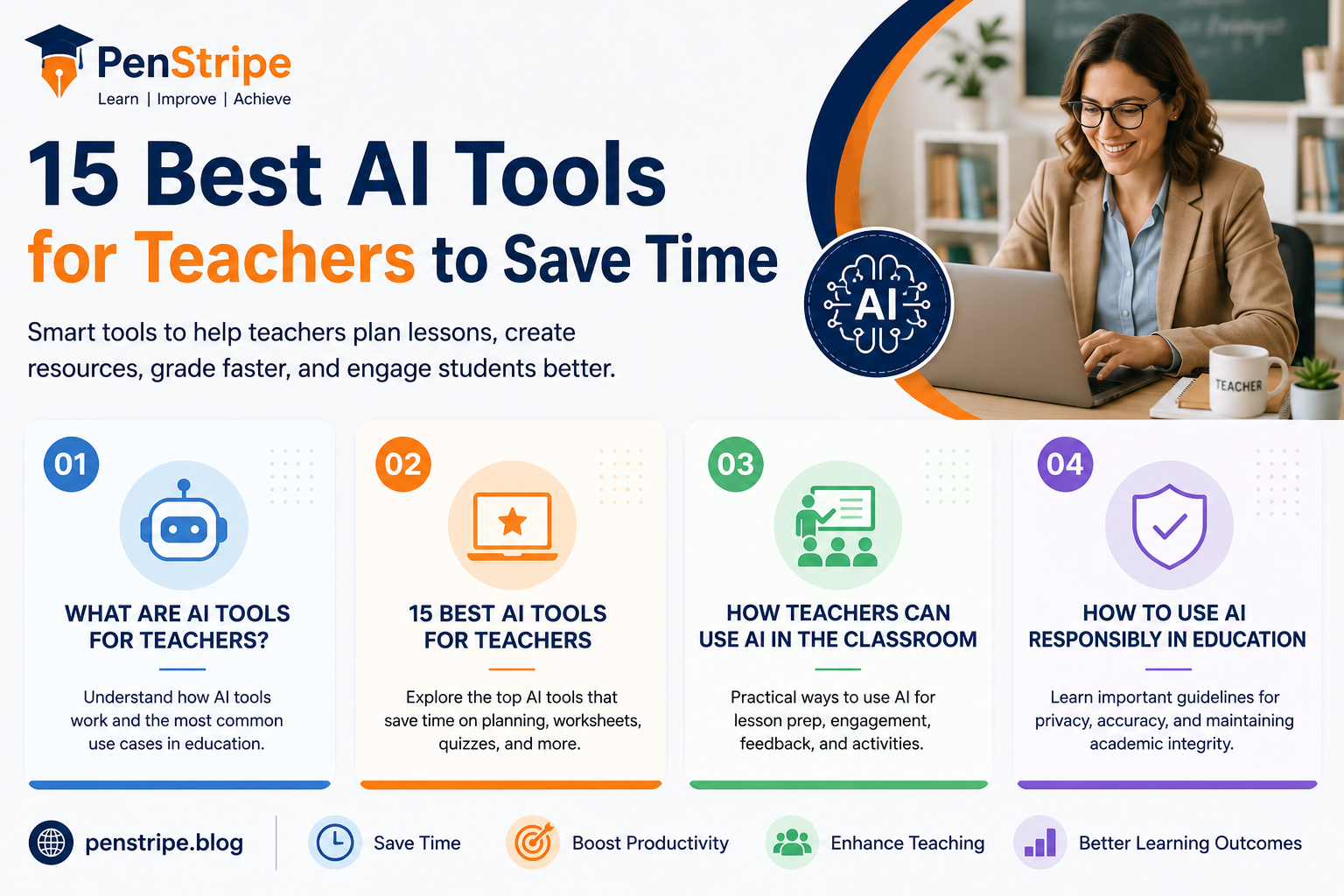
Teachers spend countless hours preparing lessons, creating classroom materials, developing assessments, reviewing student work, and responding to individual learning needs. The right AI tools can reduce some of that workload without replacing the teacher’s judgment or creativity.
The best AI tools for teachers are not necessarily the tools with the most features. A useful tool should solve a real teaching problem, produce editable results, protect student information, and fit naturally into an existing workflow.
From lesson planning and worksheet creation to quizzes, feedback, presentations, and differentiated instruction, AI can support teachers at several stages of the teaching process. Some tools are designed specifically for educators, while others are general-purpose AI assistants that teachers can adapt for classroom use.
This guide compares 15 useful AI tools and explains what each one does, who it is best for, pricing considerations, advantages, limitations, and practical ways teachers can use AI responsibly
What Are AI Tools for Teachers?
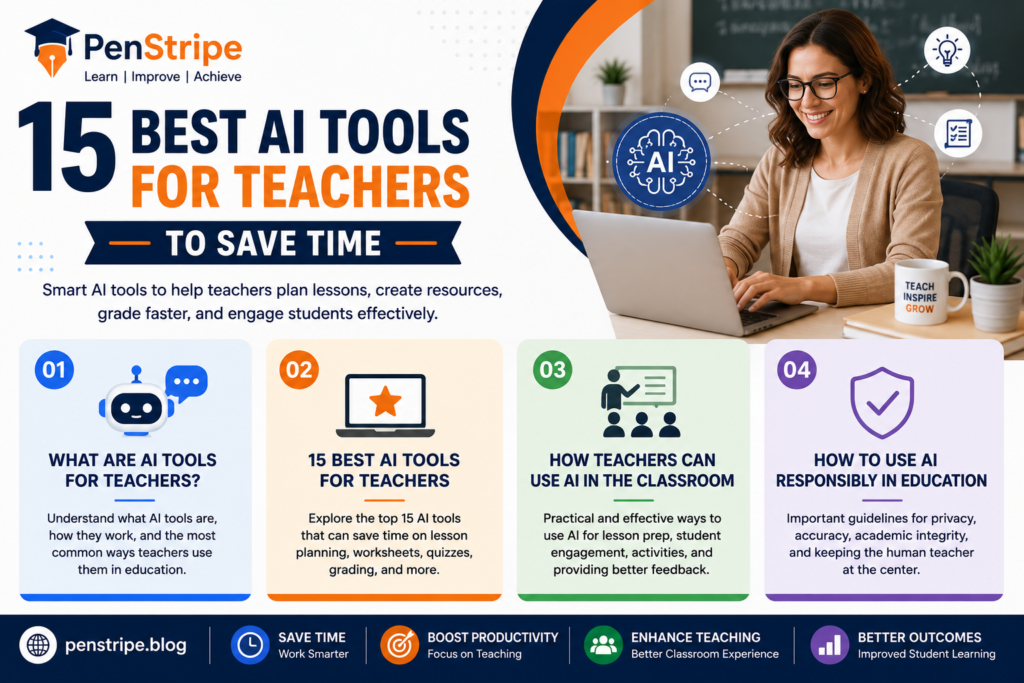
How Does AI Help Teachers?
AI tools for teachers are software applications that use artificial intelligence to assist with tasks such as planning lessons, generating educational materials, creating questions, summarizing information, differentiating activities, and providing feedback.
Instead of starting every resource from a blank page, a teacher can provide a topic, grade level, learning objective, or set of requirements and use AI to generate an initial draft.
The important word is “draft.” Teachers should review AI-generated material before giving it to students. AI can save preparation time, but professional judgment remains essential.
What Do Some Teachers Use AI Tools For?
Teachers commonly use AI for:
- Lesson and unit planning
- Worksheet creation
- Quiz and question generation
- Writing classroom instructions
- Differentiating learning activities
- Creating discussion questions
- Generating examples
- Brainstorming projects
- Creating rubrics
- Drafting student feedback
- Summarizing complex topics
- Creating presentation outlines
- Adapting reading material for different levels
The strongest use case is often not asking AI to “teach the class,” but using it to reduce repetitive preparation work.
What Should Teachers Look For?
Before choosing a tool, consider its accuracy, ease of use, privacy practices, pricing, export options, classroom features, and suitability for your grade level.
A tool that produces attractive worksheets but requires extensive editing may save less time than a simpler tool that consistently produces usable drafts.
15 Best AI Tools for Teachers
1. MagicSchool AI
MagicSchool AI is designed specifically around educator workflows. It provides tools for tasks such as lesson planning, assessment support, differentiation, communication, and classroom resource creation.
Best for: Teachers who want a broad collection of education-focused AI features.
Useful feature: A large range of teacher-oriented generators in one platform.
Pros:
- Built around education use cases
- Supports multiple teaching tasks
- Useful for brainstorming and first drafts
Cons:
- Teachers still need to check generated content
- Some features may depend on the current plan
Best use: Start with a learning objective and grade level, generate a draft activity or lesson, and then customize it for your students.
2. Brisk Teaching
Brisk Teaching focuses on helping educators work with existing educational content. It can assist with tasks such as creating resources, adapting material, and generating instructional content.
Best for: Teachers who want AI assistance while working with existing classroom material.
Pros:
- Designed around teacher workflows
- Can help reduce repetitive preparation
- Useful for adapting resources
Cons:
- Output quality depends on the source material and instructions
- Teachers should review generated resources carefully
3. Diffit
Diffit is particularly useful when teachers need to adapt educational content for different student levels. Differentiation can otherwise take considerable preparation time.
Best for: Differentiated instruction and adapting reading materials.
Useful feature: Creating different versions of instructional material based on student needs.
Pros:
- Helpful for mixed-ability classrooms
- Supports differentiated resources
- Can reduce preparation time
Cons:
- Generated material needs teacher review
- Not every subject or source will produce equally useful results
4. Khanmigo
Khanmigo is an AI-powered educational assistant associated with Khan Academy. It is designed around learning and teaching rather than simply producing answers.
Best for: Teachers and students using structured educational support.
Pros:
- Education-focused approach
- Can support guided learning
- Connected with an established educational ecosystem
Cons:
- Availability and features can vary
- Teachers should understand how student access and school policies apply
5. Eduaide AI
Eduaide AI is designed specifically for educators and can help generate instructional materials, activities, assessments, and other classroom resources.
Best for: Teachers who want an education-specific AI planning assistant.
Pros:
- Teacher-focused features
- Useful for generating classroom resources
- Can support lesson preparation
Cons:
- Generated material requires editing
- Feature availability can change between plans
6. ChatGPT
ChatGPT is a general-purpose AI assistant that can be adapted to many teaching tasks.
For example, a teacher can provide:
“Create a 45-minute Grade 7 science lesson about ecosystems. Include a learning objective, warm-up activity, guided practice, independent activity, exit ticket, and differentiation options.”
The quality of the result depends heavily on the instructions provided.
Best for: Flexible brainstorming, planning, rewriting, explanations, activities, and classroom resource drafts.
Pros:
- Highly flexible
- Can handle many content formats
- Useful for brainstorming and iteration
Cons:
- Can produce inaccurate information
- Privacy and school policies must be considered
- Output should not be accepted without review
7. Canva for Education
Canva can help teachers create visual educational materials, presentations, worksheets, posters, infographics, and other classroom resources. Its AI-related features can accelerate parts of the design and content process.
Best for: Visual classroom resources and presentations.
Pros:
- Strong visual design capabilities
- Useful templates
- Helpful for student-facing materials
Cons:
- Some features may require specific access
- Visual quality does not guarantee factual accuracy
8. Quizizz
Quizizz provides tools for interactive quizzes and classroom activities, with AI features that can help educators create assessment content.
Best for: Interactive quizzes and formative assessment.
Pros:
- Engaging format
- Useful for quick assessment
- Can make review activities more interactive
Cons:
- Teachers should verify generated questions and answers
- The best workflow depends on classroom needs
9. Curipod
Curipod is designed to help teachers create interactive lessons and presentations. It can combine instructional content with activities that encourage student participation.
Best for: Interactive presentations and lesson delivery.
Pros:
- Supports interactive instruction
- Can help structure lessons
- Useful for student participation
Cons:
- Teachers should adapt generated content
- Some functionality may depend on account level
10. SchoolAI
SchoolAI focuses on AI-supported educational experiences and can provide classroom-oriented activities and AI interactions.
Best for: Teachers exploring structured AI experiences for students.
Pros:
- Education-oriented
- Can support interactive learning
- Useful for exploring new classroom workflows
Cons:
- Teachers should review student-facing AI experiences
- School policies and privacy requirements matter
11. Grammarly
Grammarly can help teachers and students improve writing by identifying issues related to grammar, clarity, spelling, and style. Its AI features can also assist with drafting and rewriting.
Best for: Writing feedback and communication.
Pros:
- Useful for editing
- Helps improve clarity
- Can support teacher communication
Cons:
- AI suggestions should not replace instruction
- Teachers should establish appropriate student-use rules
12. Microsoft Copilot
Microsoft Copilot can assist with brainstorming, drafting, summarizing, planning, and other productivity tasks, depending on the version and account available.
Best for: Teachers already working within Microsoft tools.
Pros:
- Useful for productivity
- Can support drafting and brainstorming
- Potentially convenient within Microsoft workflows
Cons:
- Features differ between versions
- AI output needs verification
13. Google Gemini
Gemini can support brainstorming, explanations, drafting, summarization, and planning. Teachers can use it as a general AI assistant when developing classroom materials.
Best for: Teachers who already use Google’s ecosystem.
Pros:
- Flexible general-purpose assistant
- Useful for brainstorming
- Can help with content creation
Cons:
- Output can contain errors
- Available features can change
- Student information should be handled carefully
14. Perplexity
Perplexity combines AI-generated responses with web-based research features and citations in supported experiences.
Best for: Research and exploring information sources.
Pros:
- Useful for initial research
- Can help locate sources
- Helpful for exploring unfamiliar topics
Cons:
- Citations should be checked
- Search results and AI summaries are not automatically authoritative
15. Claude
Claude is a general-purpose AI assistant that can help with writing, brainstorming, summarization, planning, and analysis.
Best for: Teachers who need help working with longer documents or developing detailed drafts.
Pros:
- Strong writing and analysis capabilities
- Useful for brainstorming
- Can support complex instructions
Cons:
- AI-generated information requires verification
- Teachers should follow school policies regarding AI use
Best AI Tools for Teachers: Quick Comparison
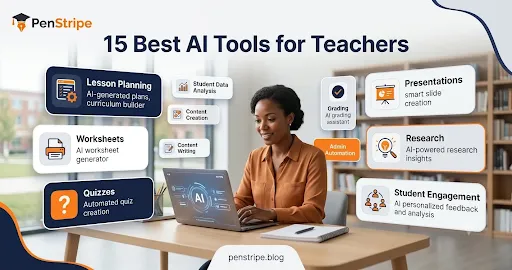
| AI Tool | Best For | Teacher Use | Free Access |
| MagicSchool AI | Teacher workflows | Planning and resources | Plan-dependent |
| Brisk Teaching | Existing content | Resource adaptation | Plan-dependent |
| Diffit | Differentiation | Reading and activities | Plan-dependent |
| Khanmigo | Guided learning | Teaching and learning support | Availability varies |
| Eduaide AI | Resource creation | Lessons and assessments | Plan-dependent |
| ChatGPT | Flexible AI assistance | Planning and brainstorming | Version-dependent |
| Canva | Visual resources | Presentations and worksheets | Plan-dependent |
| Quizizz | Quizzes | Formative assessment | Plan-dependent |
| Curipod | Interactive lessons | Presentations and activities | Plan-dependent |
| SchoolAI | AI learning experiences | Student activities | Plan-dependent |
| Grammarly | Writing | Editing and feedback | Version-dependent |
| Microsoft Copilot | Productivity | Drafting and planning | Version-dependent |
| Gemini | General AI assistance | Research and planning | Version-dependent |
| Perplexity | Research | Information discovery | Version-dependent |
| Claude | Writing and analysis | Drafting and brainstorming | Version-dependent |
Because AI products frequently change their features, pricing, and free plans, teachers should check the provider’s current terms before choosing a tool for regular classroom use.
How Teachers Can Use AI in the Classroom
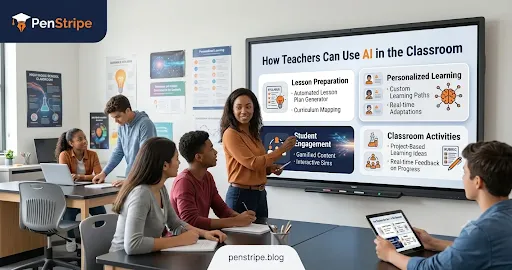
AI for Lesson Preparation
Lesson planning is one of the most practical applications of AI.
A teacher can provide the subject, grade, lesson duration, learning objective, student level, and available resources. AI can then create a starting structure.
For example:
“Create a 50-minute Grade 8 lesson on photosynthesis. Include a five-minute warm-up, direct instruction, a hands-on activity, three discussion questions, and an exit ticket.”
The teacher can then refine the lesson based on the actual classroom environment.
AI is most useful here as a planning partner rather than an automatic lesson author.
AI for Personalized Learning
Students do not always learn at the same pace. AI can help teachers create multiple versions of an activity.
For example, one worksheet might contain foundational questions, another might provide additional scaffolding, and a third might challenge advanced learners.
Tools such as Diffit and other education-focused platforms can make this process faster.
However, personalization should be based on genuine knowledge of students rather than assumptions generated by software.
AI for Student Engagement
AI can help teachers brainstorm:
- Debate questions
- Classroom games
- Role-playing scenarios
- Discussion prompts
- Real-world examples
- Project ideas
- Exit tickets
- Quick review activities
The teacher’s role is to select ideas that are appropriate for the class and connect them to the learning objective.
AI for Classroom Activities
A teacher might ask AI to create a 15-minute activity around a specific concept.
For example:
“Create a collaborative activity for Grade 6 students that teaches the difference between renewable and nonrenewable resources. Include instructions, materials, and five reflection questions.”
This can turn a broad idea into something easier to implement.
AI for Feedback
AI can help teachers draft feedback language, identify recurring writing issues, or create examples of constructive comments.
However, feedback should reflect the student’s actual work. Teachers should not blindly paste student information into an AI system without understanding the platform’s privacy requirements and their school’s policies.
How to Use AI Responsibly in Education
Protect Student Privacy
Teachers should be careful about entering personally identifiable student information into AI systems.
Avoid uploading sensitive records, confidential information, or identifying details unless the school or district has explicitly approved the system and its data practices.
Privacy is not an optional feature of responsible AI use. It should be part of the decision-making process before a tool enters the classroom.
Check AI Accuracy
AI can produce convincing but incorrect information.
This is especially important for:
- Historical facts
- Scientific information
- Statistics
- Citations
- Dates
- Mathematical explanations
- Legal or policy information
Teachers should verify important claims using reliable sources.
An attractive AI-generated worksheet can still contain a wrong answer.
Maintain Academic Integrity
Students need clear boundaries around AI.
Teachers can explain whether AI is allowed for brainstorming, editing, research, outlining, or other activities. Assignments should make expectations explicit.
AI should support learning rather than allow students to bypass the learning process.
Review AI-Generated Content
Never assume that AI-generated material is classroom-ready.
Check:
- Accuracy
- Reading level
- Bias
- Cultural appropriateness
- Difficulty
- Instructions
- Answer keys
- Sources
- Accessibility
A two-minute review can prevent a major classroom problem.
Keep the Human Teacher in Control
AI can generate content quickly, but it does not know your students in the same way you do.
Teachers understand classroom relationships, individual needs, motivation, behavior, context, and school expectations.
The strongest approach is therefore simple:
AI assists the teacher; the teacher makes the final decision.
Free vs. Paid AI Tools for Teachers
Free AI Tools
Free plans can be useful when a teacher wants to test an AI workflow before paying.
They are particularly suitable for:
- Brainstorming
- Basic lesson ideas
- Simple question generation
- Writing assistance
- Initial research
- Small classroom projects
However, free plans may have limits on usage, advanced features, file handling, or access.
Freemium Tools
Freemium platforms provide some features for free while reserving advanced functionality for paid plans.
This can be a good middle ground. Teachers can test the tool with a real classroom task before deciding whether the additional features justify the cost.
Paid AI Tools
Paid tools may provide higher usage limits, additional classroom features, more integrations, or administrative controls.
A paid subscription makes sense when a tool consistently saves enough preparation time to justify the expense.
For example, if a teacher uses a platform several times each week for lesson planning and assessment creation, a paid plan may provide more value than a collection of unrelated free tools.
How to Choose the Best AI Tool for Teaching
Consider Ease of Use
A powerful platform is not useful if it takes too long to learn.
Look for clear controls, simple workflows, helpful templates, and easy editing.
Compare the Price
Do not choose a tool simply because it has the longest feature list.
Ask:
- How often will I use it?
- Which features do I actually need?
- Does the free version solve my problem?
- Does the paid version save enough time to justify its price?
Evaluate Features
Match the tool to your actual teaching tasks.
If you mainly need lesson plans, choose a planning-focused tool. If you need interactive quizzes, an assessment platform may be more appropriate.
Check Privacy
For classroom use, privacy deserves particular attention.
Read the provider’s current privacy documentation and determine whether the platform is approved by your school or district before entering student information.
Consider Integrations
A tool becomes more useful when it fits into your existing workflow.
For example, teachers who already use Google or Microsoft products may prefer tools that work naturally with those ecosystems.
Match the Tool to Grade and Subject
A tool that works well for high school writing may not be ideal for elementary mathematics.
Test a platform with an actual classroom task before committing to it.
Frequently Asked Questions
Is there a ChatGPT for teachers?
Yes. Teachers can use ChatGPT as a general AI assistant for lesson planning, brainstorming, writing, differentiation, question generation, and other tasks. There are also education-specific AI platforms designed around teacher workflows. The right choice depends on the teacher’s needs, school policy, privacy requirements, and available features.
What are the top 5 AI tools for students?
There is no universal top five because student needs differ. Tools such as ChatGPT, Gemini, Khanmigo, Grammarly, and other education-focused platforms can support learning, writing, research, or practice. Students should use AI according to teacher and school rules and should verify important information.
What are some alternatives to ChatGPT for teachers?
Teachers can explore tools such as Google Gemini, Claude, Microsoft Copilot, Perplexity, MagicSchool AI, Eduaide AI, and Brisk Teaching. Education-specific platforms can be particularly useful when the teacher wants features designed around lesson planning, assessment, differentiation, or classroom workflows.
What do teachers use AI tools for?
Teachers use AI for tasks including lesson planning, creating worksheets, generating quizzes, brainstorming activities, differentiating instruction, drafting feedback, creating presentations, summarizing information, and developing classroom resources. AI is generally most valuable when it reduces repetitive preparation while leaving final decisions to the teacher.
Are AI tools for teachers free?
Some AI tools offer free versions, while others use freemium or paid models. Free access can be enough for basic tasks, but advanced features may require a subscription. Pricing and feature limits can change, so teachers should check the provider’s current plan before purchasing.
Can teachers use AI to create lesson plans?
Yes. AI can generate lesson-plan drafts when teachers provide details such as grade level, subject, learning objectives, lesson duration, activities, and assessment requirements. Teachers should then review and adapt the plan to their curriculum, students, available resources, and classroom environment.
Should teachers let students use AI?
That depends on the assignment, age group, school policy, and learning objective. AI can be useful for brainstorming, practice, feedback, and guided learning, but unrestricted use can interfere with assessment and skill development. Teachers should establish clear rules for when and how students may use AI.
How can teachers use AI without replacing their teaching?
Teachers can use AI for repetitive preparation while keeping instructional decisions human-led. For example, AI can draft a worksheet or generate activity ideas, while the teacher checks accuracy, adapts the material, explains the concept, evaluates student understanding, and decides what happens next.
Conclusion
The best AI tools for teachers are the ones that solve real classroom problems without creating additional work. MagicSchool AI, Brisk Teaching, Diffit, Khanmigo, Eduaide AI, ChatGPT, Canva, Quizizz, Curipod, and other platforms can support different parts of a teacher’s workflow.
The best starting point is not to install every AI tool available. Choose one repetitive task—such as lesson planning, worksheet creation, quiz generation, or differentiation—and test one suitable tool.
Always review AI-generated material, protect student information, verify important facts, and follow your school’s AI policies.
Used thoughtfully, AI can give teachers something particularly valuable: more time to focus on teaching, students, and meaningful classroom interactions penstripe