






If you’ve spent any time in a college portal, a corporate training app, or even a random comment on Snapchat, you’ve probably run into the letters LMS and wondered what they actually mean. The answer changes depending on where you saw it, and that’s exactly why so many people end up confused.
In most cases, especially in schools, universities, and workplaces, LMS stands for Learning Management System, a piece of software used to deliver courses, track progress, and manage training. But if you spotted it in a text message or on social media, it might mean something completely different.
This guide breaks down what does LMS mean in every context you’re likely to run into, how the software version actually works, real examples of popular platforms, and how to pick the right one if you’re evaluating options for a school or business.
What Does LMS Mean?
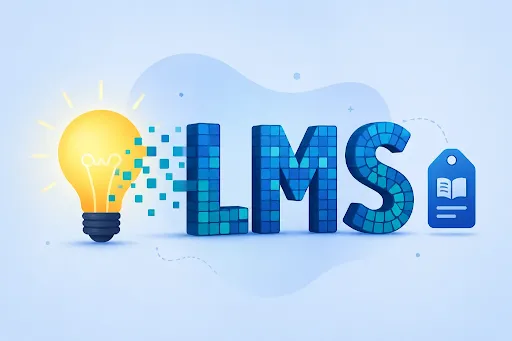
LMS stands for Learning Management System. It’s software built to create, deliver, and track educational or training content in one central place, instead of scattering it across emails, spreadsheets, and printed handouts.
The Simple Definition
Think of an LMS as a digital classroom and filing cabinet combined. Instructors upload lessons, quizzes, and assignments; learners log in, complete the work, and their progress gets recorded automatically. No paper trail required.
Where the Term Comes From
The concept goes back to the 1990s, when universities and corporations started moving training materials online as internet access became more common. Early systems were clunky, but the core idea, managing learning digitally, stuck around and evolved into the modern platforms schools and companies use today.
Why LMS Matters in Education and Business
An LMS isn’t just a nice-to-have anymore. It’s become the backbone of how millions of students take classes and how companies onboard new hires, because it removes the guesswork of tracking who’s actually completing their work.
How Does an LMS Work?

At a basic level, an LMS works by organizing learning content into courses, then tracking how each learner interacts with that content from start to finish.
Course Creation
Instructors or trainers build out course material inside the platform, videos, PDFs, slideshows, discussion boards, whatever fits the subject. Most systems let you organize this into modules or weekly units.
Student Enrollment
Learners get added to a course either manually by an administrator or through self-enrollment, depending on how the school or company has things set up.
Lessons and Learning Materials
Once enrolled, students move through lessons in whatever order the instructor designs, sometimes locked step by step, sometimes open for learners to explore at their own pace.
Quizzes and Assignments
Most LMS platforms include built-in tools for quizzes, tests, and assignment submissions, often with automatic grading for multiple-choice or short-answer questions.
Progress Tracking
Every click, completed lesson, and quiz score gets logged. Both the learner and the instructor can see exactly how far along someone is at any given moment.
Results and Reports
Administrators can pull reports showing completion rates, average scores, and engagement levels, which is especially useful for compliance training where proof of completion actually matters.
What Is an LMS Used For?

LMS platforms show up in two major settings: education and business training, though the underlying purpose stays the same in both.
Education
- Schools: K-12 institutions use an LMS for homework, grading, and communicating with parents.
- Colleges: LMS platforms handle everything from lecture recordings to discussion forums and grade books.
- Universities: Larger institutions rely on an LMS to manage thousands of students across dozens of departments at once.
- Online learning: Fully remote programs depend entirely on an LMS since there’s no physical classroom to fall back on.
Business Training
- Employee training: Companies use an LMS to deliver skills training without pulling staff away from their desks for days at a time.
- Onboarding: New hires go through structured onboarding modules that make sure nothing important gets missed.
- Professional development: Ongoing courses help employees build new skills or work toward certifications.
- Compliance training: Industries like healthcare and finance use an LMS to prove, on record, that employees completed required legal or safety training.
What Are the Main Features of an LMS?
Most LMS platforms share a common set of core features, even if the interface looks different from one system to the next.
Course Management
Tools for building, organizing, and updating course content without needing any coding knowledge.
Student Management
A dashboard for adding, removing, and organizing learners into groups, classes, or departments.
Online Assessments
Built-in quizzes, tests, and assignment tools, often with automatic grading and instant feedback.
Progress Tracking
Real-time visibility into who’s finished what, and who’s falling behind.
Certificates
Automatic certificate generation once a learner completes a course, which matters a lot for compliance-heavy industries.
Reporting and Analytics
Data on completion rates, quiz scores, and time spent, useful for spotting where learners are struggling.
Communication Tools
Discussion boards, messaging, and sometimes live video integration to keep instructors and learners connected.
What Are the Benefits of Using an LMS?

Whether it’s a university or a mid-sized company, the reasons for adopting an LMS tend to overlap quite a bit.
Learning Anywhere
Students and employees can access material from a laptop, tablet, or phone, which matters a lot for remote and hybrid setups.
Saves Time and Cost
No printing, no shipping materials, no scheduling every session in person. Training that used to take a week can often be compressed into a few self-paced hours.
Easy Progress Tracking
Instructors and managers don’t have to chase people down to check on their progress; the system tracks it automatically.
Centralized Learning Materials
Everything lives in one place instead of being scattered across email threads and shared drives.
Flexible Learning
Self-paced courses let learners move faster through material they already understand and slow down where they need more time.
Better Training Management
Administrators get a clear, organized view of who’s trained, who isn’t, and where the gaps are.
Types of LMS
Not every LMS is built the same way, and the type that fits a university won’t necessarily fit a 50-person startup.
Academic LMS
Designed for schools and universities, with features like gradebooks, academic calendars, and integration with student information systems.
Corporate LMS
Built for employee training, onboarding, and compliance tracking, with reporting features geared toward HR and management.
Cloud-Based LMS
Hosted online, accessible from anywhere with no local installation required. Most modern platforms fall into this category.
Open-Source LMS
Free, customizable software like Moodle, where organizations can modify the code to fit specific needs, though it usually requires more technical setup.
Mobile LMS
Optimized specifically for smartphones and tablets, useful for frontline workers or students who primarily learn on the go.
Examples of Popular LMS Platforms
Here are some of the most widely used LMS platforms across education and business.
- Moodle: A free, open-source LMS popular with universities and independent educators.
- Canvas: One of the most widely adopted LMS platforms in higher education across the United States.
- Blackboard: A long-standing academic LMS used by colleges and universities worldwide.
- Google Classroom: A simplified, education-focused tool often used in K-12 schools.
- TalentLMS: A cloud-based platform aimed primarily at corporate training and onboarding.
- Schoology: A K-12 focused LMS that blends course management with communication tools for parents and teachers.
LMS vs Online Learning Platform
People often use these terms interchangeably, but they’re not quite the same thing.
Key Differences
An LMS is a management system, its core job is organizing, tracking, and administering courses. An online learning platform, like Coursera or Udemy, is more focused on delivering pre-built content to a broad audience, without the same level of administrative control.
When to Use an LMS
Choose an LMS when you need to manage a specific group of learners, track detailed progress, and issue completion records, like a university course or company-wide compliance training.
When an Online Learning Platform May Be Better
If you’re an individual learner looking to pick up a new skill without needing administrative oversight, a general online learning platform is usually simpler and more affordable.
How to Choose the Right LMS
If you’re evaluating LMS options for a school or business, a few factors matter more than flashy features.
Checklist for Choosing an LMS
- Budget: Confirm pricing scales reasonably as your number of users grows.
- Ease of use: Test the interface yourself before rolling it out to hundreds of people.
- Features: Match the feature list to your actual needs, not just what looks impressive in a demo.
- Scalability: Make sure it can handle growth without a costly platform migration later.
- Mobile access: Check whether learners can complete coursework from a phone.
- Security: Verify how learner data is stored and protected, especially for compliance-sensitive industries.
- Integrations: Look for compatibility with tools you already use, like HR software or student information systems.
What Does LMS Mean in Slang and Texting?
Outside of education and business, LMS takes on a completely different meaning depending on the platform.
LMS Meaning in Text and Snapchat
In casual texting or on Snapchat, LMS usually stands for Like My Status or Like My Selfie, a request for friends to engage with a post.
LMS Meaning on TikTok and Instagram
On TikTok and Instagram, it’s typically used the same way, as a short caption asking followers to like or react to a photo or video.
LMS Meaning in Gaming (Forsaken and Others)
In some games, including modes like Forsaken, LMS can stand for Last Man Standing, referring to a survival-style game mode where the goal is to be the final player left.
Is Canvas an LMS?
Yes. Canvas is one of the most widely used Learning Management Systems in higher education, offering course management, grading, and communication tools for colleges and universities across the United States.
Comparison Table: LMS Platforms at a Glance
| Platform | Best For | Type | Notable Feature |
| Moodle | Universities, budget-conscious institutions | Open-source | Highly customizable |
| Canvas | Colleges and universities | Cloud-based academic | Strong mobile app |
| Blackboard | Large universities | Cloud-based academic | Established institutional trust |
| Google Classroom | K-12 schools | Cloud-based, simplified | Easy Google Workspace integration |
| TalentLMS | Corporate training | Cloud-based corporate | Fast setup for small teams |
| Schoology | K-12 schools | Cloud-based academic | Strong parent communication tools |
Frequently Asked Questions
What does LMS stand for?
LMS stands for Learning Management System, a type of software used to create, deliver, and track courses or training programs. It’s the standard term used across schools, universities, and workplaces worldwide.
What is an LMS used for?
An LMS is used to organize course content, enroll learners, deliver lessons and quizzes, and track progress automatically. Schools use it for classes and grading, while businesses use it for employee training, onboarding, and compliance tracking.
Is Google Classroom an LMS?
Yes, Google Classroom is considered a simplified LMS, mainly used in K-12 education. It handles assignments, grading, and communication, though it has fewer advanced features than platforms like Canvas or Blackboard.
What is an LMS in education?
In education, an LMS is the software students and teachers use to manage coursework, from posting assignments to tracking grades and attendance. Popular examples include Canvas, Blackboard, Moodle, and Schoology.
What is the difference between LMS and e-learning?
E-learning refers broadly to any learning that happens online, while an LMS is the specific software platform used to deliver and manage that e-learning content, track progress, and issue completion records
What are examples of LMS?
Common examples include Moodle, Canvas, Blackboard, Google Classroom, TalentLMS, and Schoology. Each serves slightly different needs, ranging from university-level course management to corporate employee training.
What does LMS mean in texting or on Snapchat?
In casual texting or on Snapchat, LMS usually means Like My Status or Like My Selfie, a request for friends to react to a post. This is completely unrelated to the Learning Management System meaning used in education
What does LMS mean in games like Forsaken?
In gaming contexts, including modes like Forsaken, LMS often stands for Last Man Standing, a survival game mode where players compete until only one remains.
Conclusion
So, what does LMS mean? In education and business, it almost always refers to a Learning Management System, the software behind online courses, employee training, and progress tracking. Outside those settings, the same letters can mean something entirely different, like Like My Status in a text or Last Man Standing in a game.
If you’re a student, an educator, or a business evaluating training software, understanding what an LMS actually does, and how platforms like Canvas, Moodle, or TalentLMS differ, makes it much easier to choose the right one. Before picking a platform, run through the checklist in this guide and match features to your actual needs, not just the flashiest demo.